Dialogs 對話方塊
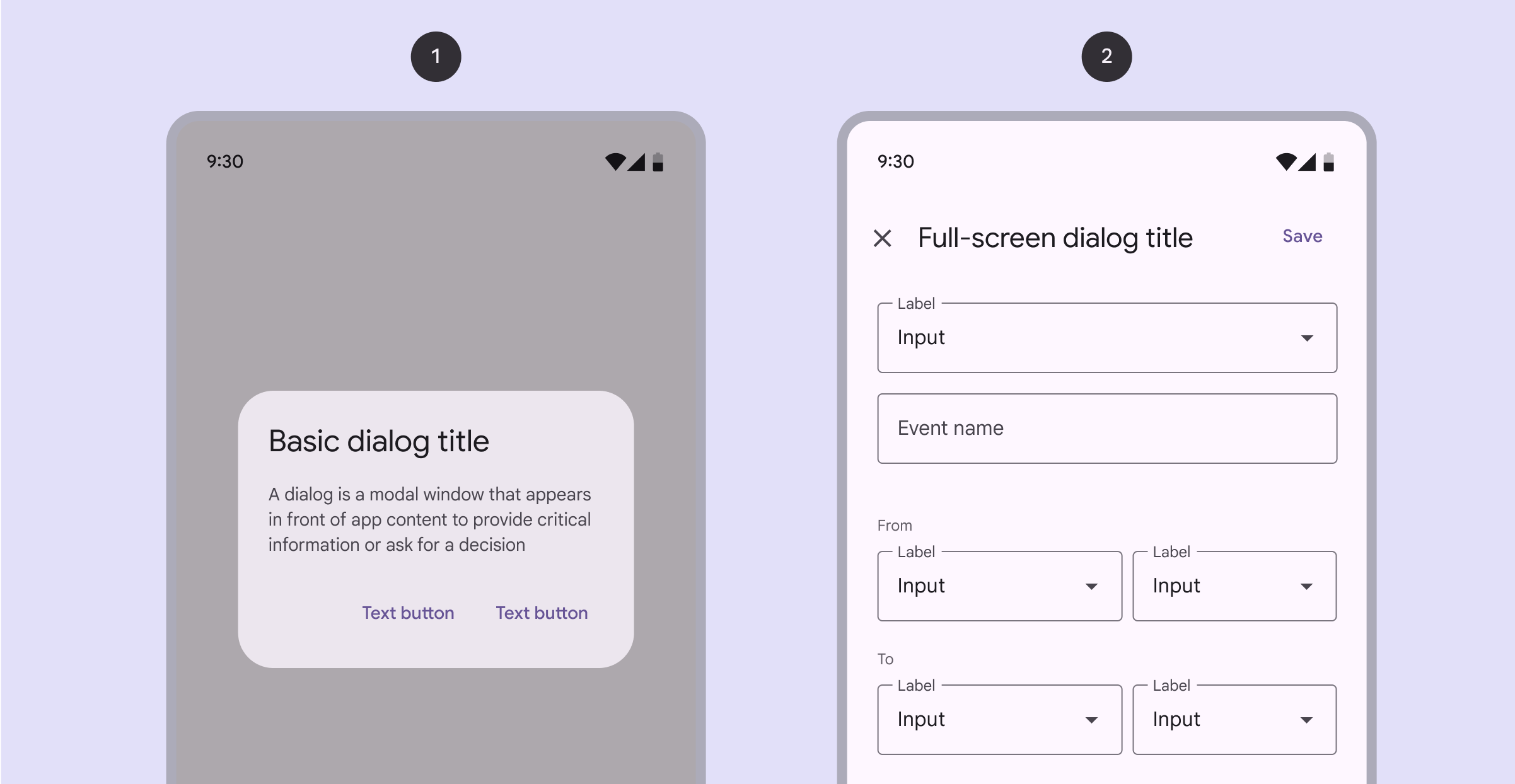
- 對話方塊是一個提示視窗,幫助使用者做出選擇
- 它分為普通和全屏兩種
- 每個對話方塊只做一件事情
- 對話方塊會顯示需要使用者瞭解的資訊
- 主要用來提醒使用者注意重要操作,比如刪除檔案前的確認提示
Basic dialogs 基本對話方塊
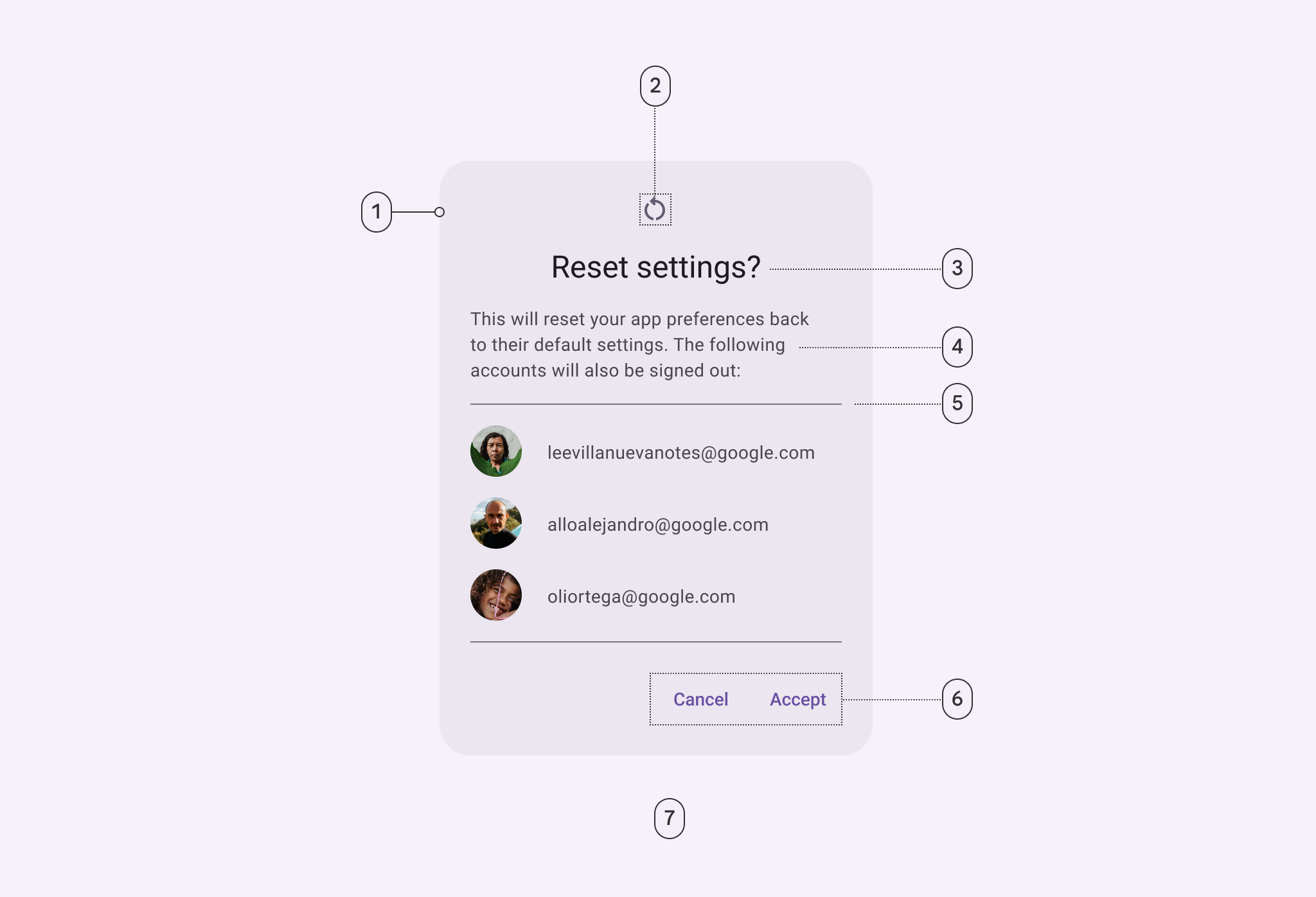
Scrim
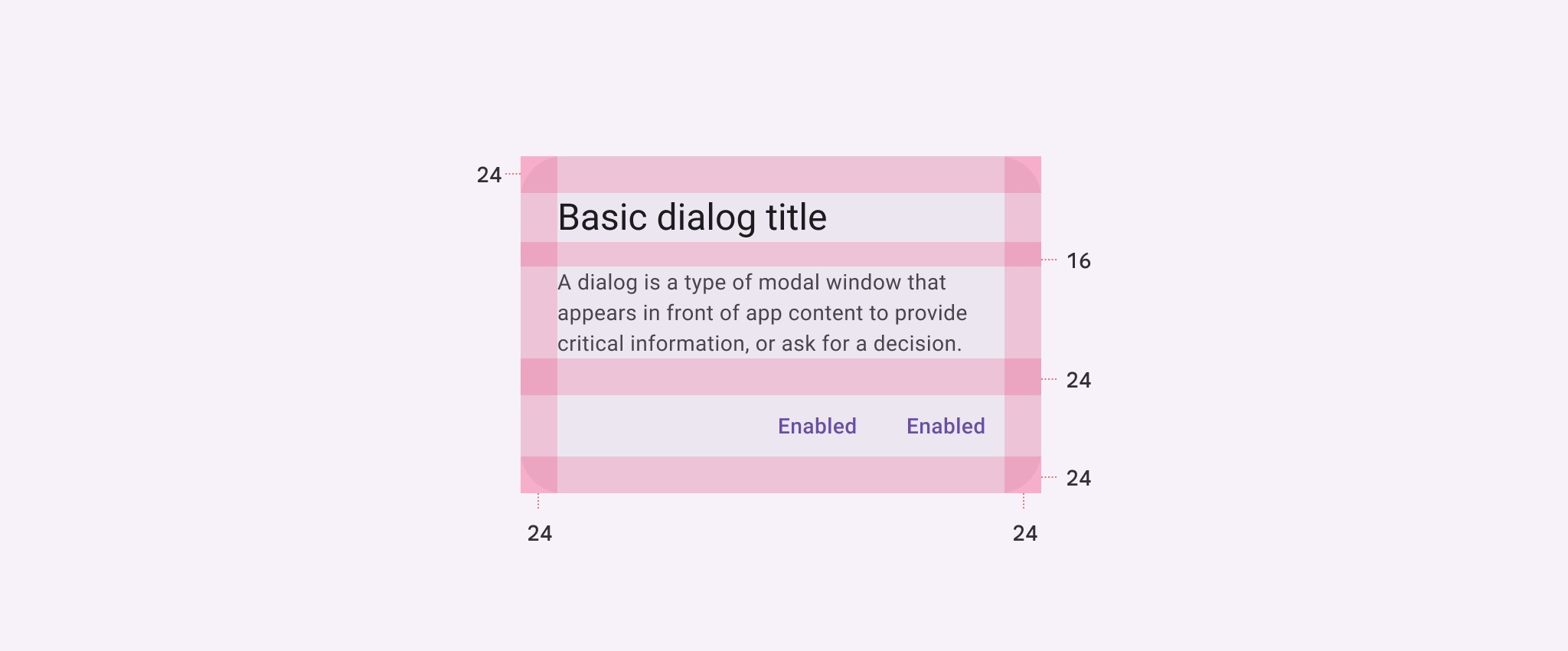
| Attribute 屬性 | Value 值 |
| Container shape 容器形狀 | 28dp corner radius |
| Container height 容器高度 | dynamic |
| Container width 容器寬度 | Min 280dp; Max 560dp |
| Divider height 分隔線高度 | 1dp |
| Icon size 圖示大小 | 24dp |
| Minimum width 最小寬度 | 280dp |
| Maximum width 最大寬度 | 560dp |
| Alignment with icon 帶圖示的對齊 | Center-aligned 居中對齊 |
| Alignment without icon 不帶圖示的對齊 | Start-aligned 起始對齊 |
| Top/Left/right/bottom padding上/左/右/下邊距 | 24dp |
| Padding between buttons 按鈕之間的間距 | 8dp |
| Padding between title and body標題與正文之間的間距 | 16dp |
| Padding between icon and title圖示與標題之間的間距 | 16dp |
| Padding between body and actions正文與操作之間的間距 | 24dp |
Full-screen dialogs 全屏對話方塊
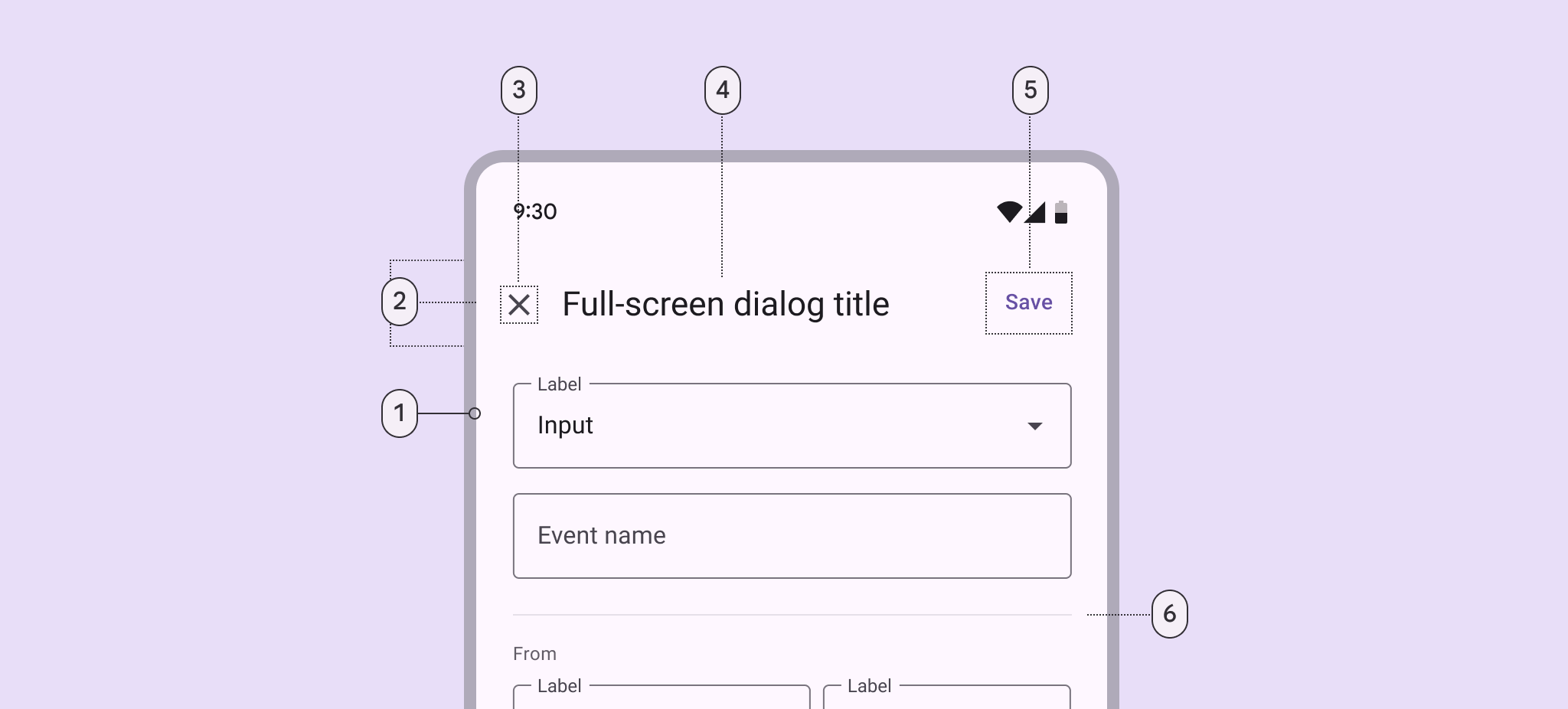
1 Container 2 Header3 Icon (close affordance 4 Headline 5 Text button 6Divider(optional)
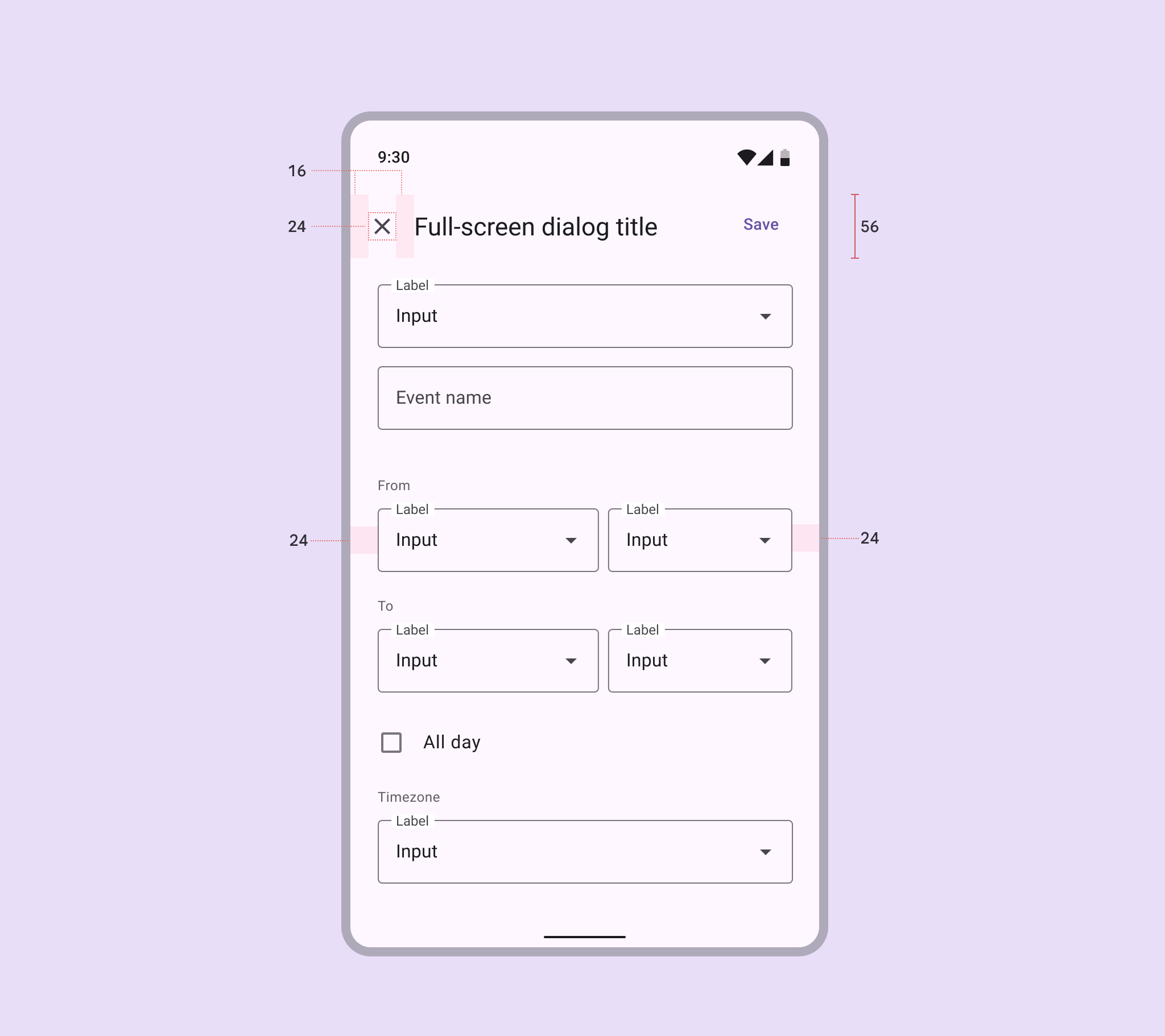
| Attribute 屬性 | Value 值 |
| Container shape 容器形狀 | 0dp corner radius 圓角 |
| Container height 容器高度 | dynamic 動態的 |
| Container width 容器寬度 | container width; Max 560dp |
| Header height 頭部高度 | 56dp |
| Header width 頭部寬度 | container width |
| Headline text alignment 標題文字對齊方式 | Start-aligned 起始對齊 |
| Divider height 分隔線高度 | 1dp |
| Icon (close affordance) size圖示(關閉提示)大小 | 24dp |
| Bottom action bar height底部操作欄高度 | 56dp |
| Bottom action bar width底部操作欄寬度 | container width |
| Top/left/right padding 上/左/右內邊距 | 24dp |
| Padding between elements元素之間的間距 | 8dp |